Discover what appliances and devices a 120V portable power station can run, including its power limits, capacity, and practical uses at home or outdoors.

Quick Answer: You can plug phone and laptop chargers, lamps, fans, and compatible 120V appliances into a portable power station. Refrigerators, freezers, coffee makers, kettles, and power tools can also run when the station has enough continuous output and startup capacity. For example, a 900W coffee maker fits within a 1,500W station’s running-power budget, while a refrigerator or saw may trigger overload protection during startup even if its running demand is lower.
Key Takeaways
All connected devices share the station’s total output; extra outlets do not add power.
Motor and compressor startup demand must fit alongside appliances already running.
Battery-mode and bypass-mode output limits can differ.
Nameplate ratings help check compatibility; measured energy use helps estimate runtime.
Adapters and power strips do not increase wattage or change voltage.
Pure sine wave output does not guarantee uninterrupted power or suitability for medical equipment.
Which Plug-In Devices Usually Work, and Which Need Checking?
A power station may have 120V outlets that look like household outlets, but it can supply only as much as its inverter, outlets and battery allow. The device type tells you which of those limits to check first.
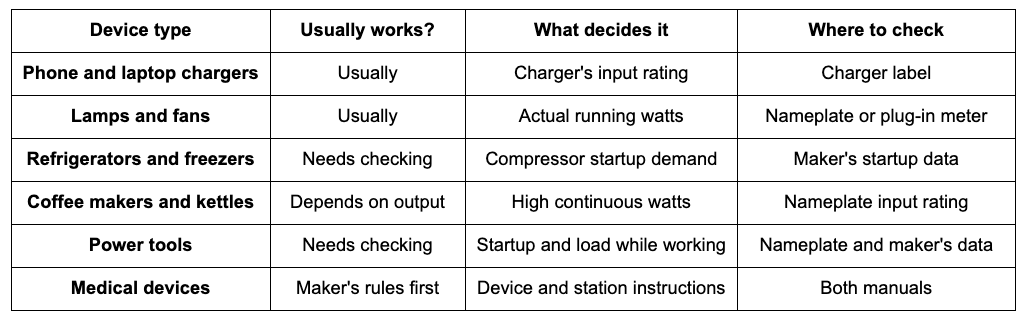
Chargers, lamps and fans draw modest power, so the main question is whether the outlet and plug match. Appliances with motors, compressors or heating elements need more checking, either because they need a burst of power to start or because they draw a lot of power the whole time they run.
Enough watts is the first condition for compatibility, and the checks below cover the rest. Each one ends at a nameplate, a manual or a specification sheet. Where that information is missing, compatibility cannot be confirmed until it is found.
Five Checks Before You Plug Anything In
Work through these in order before connecting a new appliance to a power station:
Voltage and frequency: the device accepts 120V at 60 Hz.
Continuous load: the device, plus everything running with it, stays within the station's rated output and any continuous current or VA limit that applies.
Startup demand: any motor or compressor surge, and how long it lasts, fits what the station supports.
Outlet and connection path: the outlet, plug, cord and any adapter each meet the device's requirements.
Operating mode: the output limit you are relying on applies in the mode you will use, such as battery power or bypass.
Continuous Output, Startup Demand and Shared Limits
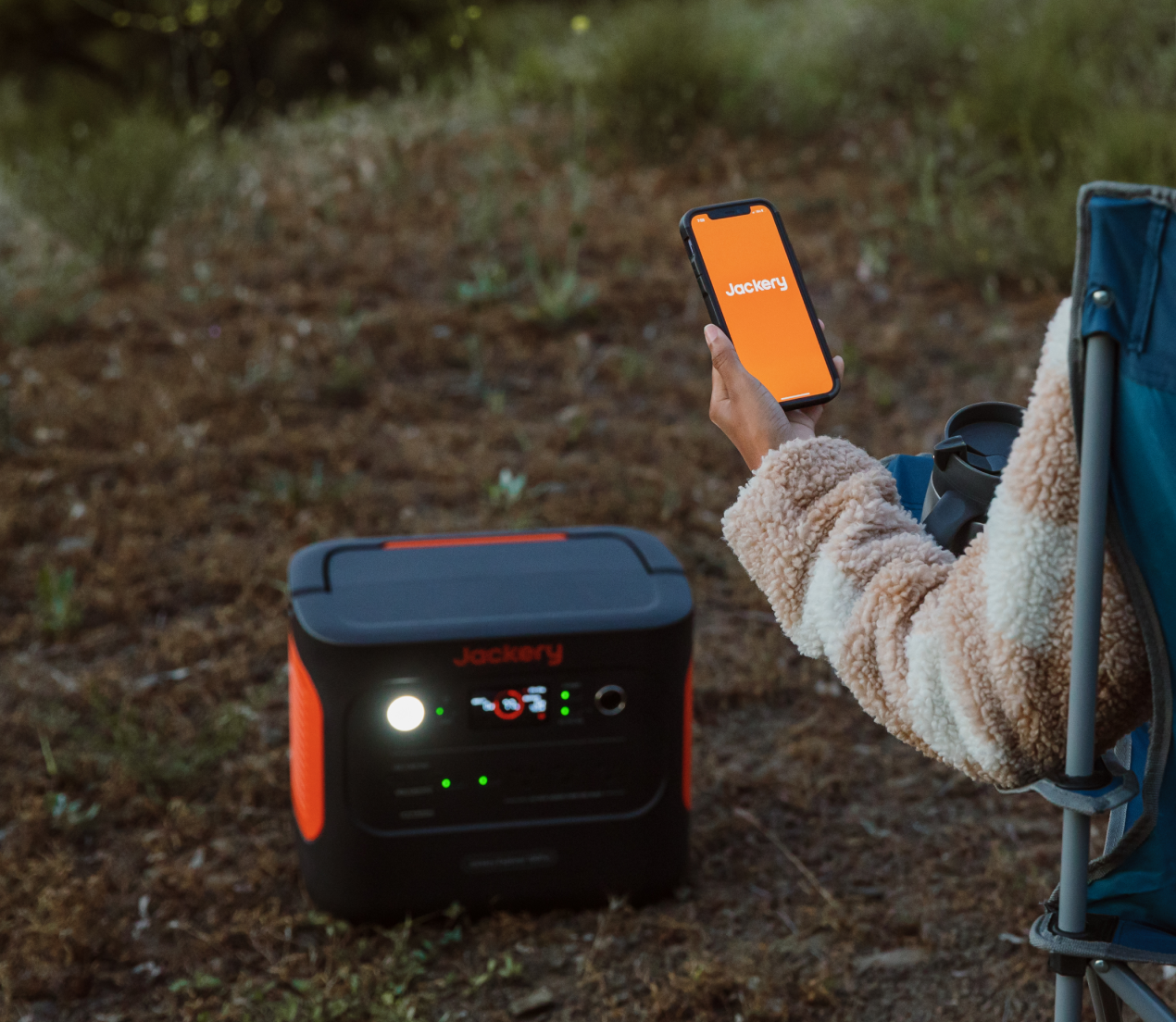
A station's total output, a single outlet's rating and the limit in a particular mode can be three different numbers. The Jackery Explorer 1000 v2, for example, has three 120V outlets that share 1,500 W of rated output, with a surge peak of 3,000 W. Its specifications do not list a separate limit for each outlet, so the 1,500 W covers all three together.
Modes matter too. The Jackery HomePower 3000 is rated for 3,600 W of total AC output, but in bypass mode, while it passes wall power through, its AC limit is 12 A, or 1,440 W. A load that runs on battery power may trip the station in bypass mode.
Startup demand has to fit alongside everything already running. A refrigerator starting while a coffee maker is heating draws on the same limit, so the check uses the combined load at that moment.
Read the Nameplate and Know What Your Meter Can Measure
An appliance's wattage is usually printed on the bottom or back, or on its nameplate, and the listed figure is normally the most it draws. Actual use can be lower, depending on the setting. Check whether a label shows the device's own input rating or an adapter's output, since the two are not interchangeable.
When a label lists only amps, multiplying amps by volts gives a rough figure: 120 V × 3 A = 360 VA. That product is apparent power in volt-amperes; real watts also depend on the power factor and can be lower. Treat it as an estimate, especially for motors, compressors and some electronics, and note that it says nothing about startup demand.
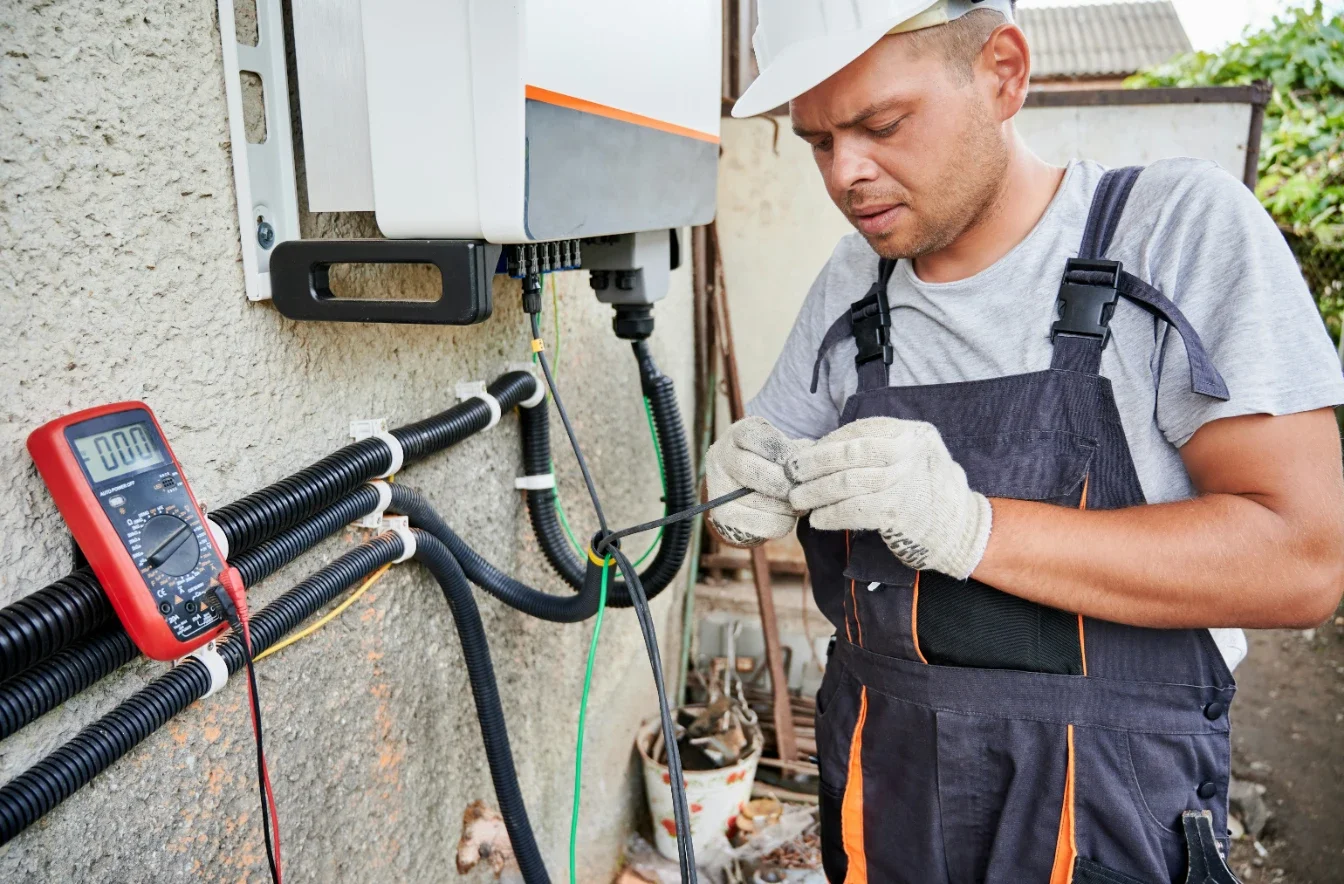
A nameplate gives a rating; a plug-in electricity usage monitor measures what a 120V device draws while it runs, which helps with appliances that do not run constantly. Each meter has its own maximum volts, amps or VA on its label. A brief startup spike may not show in an ordinary reading, so startup data should come from the appliance maker.
Do the Plug and Outlet Match?
Standard 120V Outlets and Higher-Amp Ports
The AC outlets on stations sold for the U.S. market are typically 120V, 60 Hz household outlets. A device's plug should fit without forcing, and a three-prong plug belongs in a three-prong outlet, with the ground pin intact. When an outlet looks different from a household one, the manual shows which plug type it takes.
Some larger models add higher-amp outlets. The Jackery HomePower 3000 has four 20 A outlets rated up to 2,400 W each and one 30 A outlet rated up to 3,600 W, all at 120V, with a total AC output of 3,600 W. Those outlet ratings cannot be added together, and an adapter on the 30 A outlet does not raise its capacity or change its voltage.
When a 120V Output Is Not Suitable
Appliances that need 240V, such as central air conditioners, electric ranges, many electric water heaters and some well pumps, cannot run from 120V outlets. Hardwired equipment, such as a furnace blower, has no plug to connect. Window air conditioners and other appliances with a standard 120V plug are a different case: the continuous and startup checks above apply to them.
Powering fixed household circuits is a separate setup that needs a qualified electrician and equipment the station maker allows. A station's AC output should never be connected to household wiring through a wall outlet.
Extension Cords and Adapters: Check Ratings and Instructions
The Electrical Safety Foundation International (ESFI) advises using a cord rated at least as high as the appliance and marked for indoor or outdoor use. Its sizing table moves to heavier wire as length and current increase: for 25 to 50 feet, it lists 16 gauge for 1 to 13 amps and 14 gauge for 14 to 15 amps, while at 100 feet it lists 14 gauge for 11 to 13 amps and 12 gauge for 14 to 15 amps.
ESFI also warns against cutting off a ground pin, using a three-prong plug in a two-slot outlet or forcing a plug that does not fit. Cords that feel hot or are damaged should not be used, a covered cord cannot shed heat, and one extension cord should serve only one appliance.
Use only adapters permitted for the equipment and correctly rated for the connection. An adapter does not change the supply voltage, increase available power or remove grounding requirements. The appliance's own manual may also limit cord use: the U.S. Fire Administration says to plug space heaters directly into wall outlets, never into an extension cord or power strip.
Which Appliances Need a Closer Look?
Motor and Compressor Loads: Plan for Startup Surge
Refrigerators, freezers, pumps and many tools draw a short burst of power when their motor or compressor starts. Three things need checking together: running watts, startup demand and how long it lasts, and what else is running at that moment. Startup data comes from the manual or the maker.
A refrigerator's compressor also cycles on and off for as long as the refrigerator runs, so the startup surge repeats rather than happening once. Each restart has to fit within the station's limits along with whatever else is drawing power at that moment.
Take a mini fridge whose nameplate lists 1.5 A at 115 V, an illustrative figure to replace with your own. Multiplying the nameplate voltage and current gives about 170 VA. That figure comes from the label, so it is neither a measured running load nor a guide to the compressor's startup demand. Daily energy use is a separate question, which the EnergyGuide label helps estimate. Without startup data, running-load information alone is not enough to confirm compatibility.
Power Tools: Nameplate Amps and Working Load
A corded tool's draw changes with the work. A circular saw idling, starting and cutting through dense lumber puts three different loads on the station, and its nameplate shows only one figure. Some tools have a soft-start feature meant to reduce the burst at switch-on; the tool's manual says whether yours does.
Suppose the saw's nameplate lists 15 A, again an illustrative figure. At 120 V, a 15 A nameplate corresponds to 1,800 VA, which is not automatically 1,800 W of real power. Compatibility still depends on the station's continuous current or VA limit, the tool's real input power and its startup demand.
Heating Appliances: High Continuous Watts
Kettles, space heaters, hair dryers and hot plates draw high power the whole time their elements are on, and many are rated above a smaller station's continuous output. Settings change the draw, and the nameplate shows the maximum. Even when they fit, they drain the battery quickly, since runtime is roughly usable energy divided by the draw. For space heaters, enough output does not replace the heater maker's requirements for an allowed power source.
Coffee makers vary, so the input rating on your own model matters. Suppose a drip coffee maker's nameplate lists 900 W. Used alone, its 900 W input is within a 1,500 W station's continuous-power budget, so that check passes. It shares the budget with anything else running, and a warming plate can keep drawing power after brewing ends.
Add a refrigerator running at an illustrative 150 W, and the total is about 1,050 W, so the combined continuous-load check passes too. What remains is startup: the total load at the moment the compressor starts, and how long that lasts, still needs checking against the station's surge rating.
Sensitive Electronics: Waveform and Maker Requirements
Electronics designed for household power expect a clean sine wave. A station's specifications or support pages should state its waveform; if they do not, ask the maker before connecting anything sensitive. Devices with special power requirements in their manuals should follow those requirements.
FAQs About Plugging Devices Into a Power Station
Can You Plug a Power Strip Into a Power Station?
A power strip gives you more outlets without adding any capacity. It cannot get around the station's outlet or total limits, or the limits of the devices on it, and the strip's own rating has to cover everything plugged into it. ESFI also says power strips cannot be chained together.
Why Does the Power Station Shut Off When You Plug Something In?
Start with any error code on the display and the manual's explanation. Possible causes include startup demand, total load, a connection problem, temperature and a low battery, so the appliance's wattage is not always the reason. On the Jackery Explorer 1000 v2, fault codes F8 and F9 call for removing the load, and its manual asks that a device be switched off before it is connected.
Disconnect everything, find what triggered the shutoff, and follow the device and station instructions from there, rather than restarting repeatedly to see whether an appliance eventually runs.
Can You Plug In a CPAP or Other Medical Device?
Yes. A suitable portable power station can power a CPAP machine and certain other medical devices during travel or power outages. When using an AC connection, choose a model with pure sine wave output, a voltage and power output that meet the device's requirements, and sufficient battery capacity to cover the required runtime. If you need automatic backup power during an outage, you should also check the UPS switchover time. For life-support devices, it is recommended to use the device's own battery to maintain power during the instant of an outage, then use the power station to recharge the battery and extend the runtime.
Final Thoughts
Before plugging a new appliance into a power station, check voltage and frequency, continuous load, startup demand, the outlet and connection path, and the operating mode. When startup data or the maker's requirements are missing, find them before you try. For phone chargers and lamps, the checks are usually simple; for motors, heaters and medical devices, they decide the answer.
Stay up to date with our latest ideas!