How to Make a Custom Photo Book From Your Phone in Minutes
Learn how to create a custom photo book from your phone in minutes using simple tools to turn favorite memories into a lasting keepsake.
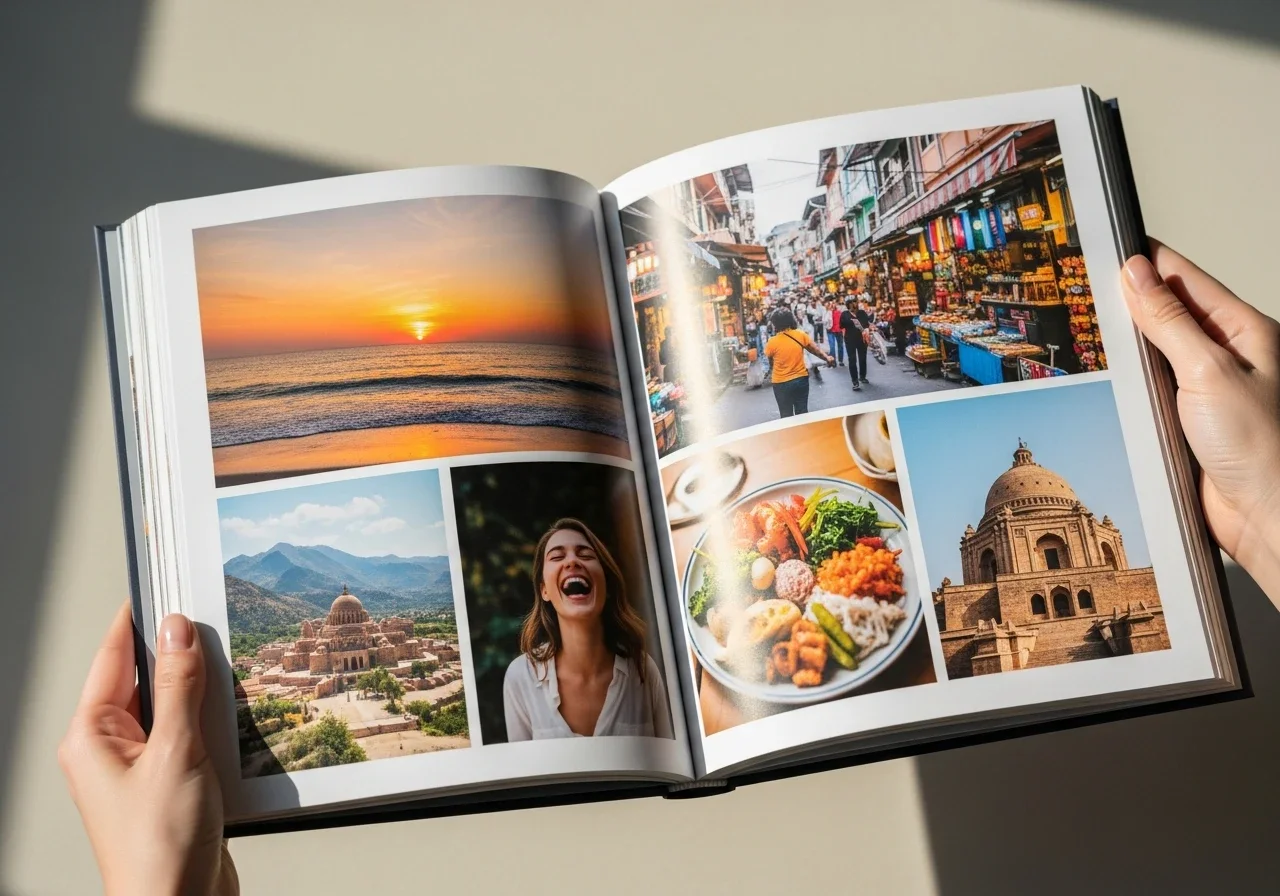
Most people are carrying thousands of photos on their phones right now, and the vast majority of those images will never leave the camera roll. Scrolling back through years of pictures to find one specific moment can feel like digging through an unsorted drawer—you know something good is in there, but finding it is another matter entirely. This digital hoarding doesn't just clutter our storage; it dilutes our most precious memories, burying milestone events beneath a mountain of daily screenshots, blurry accidental snaps, and forgotten receipts.
A custom photo book cuts through that chaos by turning scattered snapshots into a coherent, physical story that can be shared, shelved, and revisited for years to come. It transforms passive, forgotten data into a deliberate family heirloom. Modern mobile tools make this achievable in a single sitting, with no design experience required. The workflow outlined here draws on best practices from professional photo labs and major photo platforms, with an eye toward both speed and quality, proving that you don't need to spend weeks behind a desktop computer to create a stunning, professional-grade keepsake.
Collect and Organize Photos Using Built-In Tools
Before downloading anything new, use what's already on your phone. Both iOS and Android let you create named albums and flag favorites with a heart or star. A practical approach: scroll through your camera roll, mark candidate photos as you go, then pull them all into a dedicated album—something like "Summer Book" or "Baby Year One." Filtering by date or location speeds this up considerably. Aim for around 20 to 30 photos for a small book; that gives the app enough material to work with while keeping the project from becoming overwhelming. To keep the narrative engaging, try to include a mix of wide shots (landscapes or room views) and close-ups (faces or small details). Also, keep an eye out for duplicate bursts; picking the single best expression right now will save you from decision fatigue later inside the book-building app.
One quick note on privacy: before granting any app access to your gallery, take a moment to review what permissions are being requested and whether your images will be stored on external servers.
Pick a Tool and Let Auto-Layout Do the First Pass
Many modern services allow you to design photo books directly from your camera roll, so the journey from choosing images to a finished layout can take just a few taps. When evaluating any mobile app, look for automatic layout suggestions, straightforward crop-and-swap controls, and a clear cost summary before you commit to an order. The typical quick-start flow is simple: choose a size and orientation that suits your photos (square works well for social-style images; landscape tends to suit travel), import the album you've already prepared, and let the app auto-place everything into a draft.
That draft won't be perfect—and it's not supposed to be. It gives you a real starting point to react to. Check each page for cropped faces, rotated images, and back-to-back shots that look nearly identical. A useful sequencing principle borrowed from professional photographers: open and close with your strongest images to make a lasting impression on anyone who picks the book up. Pay special attention to the gutter—the central spine where the pages meet. Avoid placing important details, like someone's face or text, right in the middle of a two-page spread, as they can get swallowed by the binding. If the app allows it, try grouping photos chronologically or by color palette to give the pages a natural, visual rhythm.
Add Minimal Text, Then Refine the Layout
Short captions add lasting context—a date, a place, a single well-chosen line—without turning the book into a journal. Write them after the images are in their final positions, so you're not rewriting captions every time the sequence shifts. Keep fonts simple and make sure the text color contrasts clearly with whatever's behind it. If you are struggling to remember specific details, look at the metadata of your original photo for the exact date and location. Remember, you don't need text on every page; letting a beautiful photo stand alone often speaks louder than words.
When it comes to layout, less is almost always more, especially when designing on a small screen. One or two photos per page, consistent backgrounds, and intentional white space will produce a far cleaner printed result than a dense collage ever will.
Final Checks Before Ordering
Do one full scroll-through of every page, looking for typos, orientation errors, and any image that appears blurry at full zoom. Review the print options available to you—matte versus glossy paper affects both color rendering and how readily fingerprints show up; hardcover adds durability but also cost. If the app flags an image with a "low-resolution" warning icon, don't ignore it—swap it out for a sharper photo or shrink its size on the page to prevent a pixelated print. It is also wise to check the edges of your photos; ensure that any intentional borders are uniform and that no critical element is dangerously close to the trim line where it might accidentally get cut off during manufacturing. Finally, double-check your shipping address and estimated delivery date, especially if you are making this as a time-sensitive gift for a birthday or holiday. Check whether the app saves your project automatically, so you have the option to reorder or make updates down the road, or even order multiple copies at a discount for family members who shared those same memories.
From Camera Roll to a Story You Can Hold
A polished photo book doesn't have to take hours. By settling on a clear theme, organizing your photos into a dedicated album, leaning on auto-layout tools for the heavy lifting, and placing a few well-chosen captions, anyone can build something genuinely meaningful in a single session. Start small—last weekend's outing rather than the last decade. By breaking the habit of letting memories sit forgotten in digital cloud storage, you create a tangible archive that family and friends can actually flip through on a coffee table. Printing just one small volume demystifies the whole process, turning what felt like a daunting chore into an addictive creative outlet. You will soon realize that these books do not need to be monumental summaries of an entire year; instead, thin, magazine-style softcovers of a single road trip or a weekend barbecue carry just as much emotional weight. Once that first book is done, the whole process becomes a simple, repeatable habit worth returning to every season or after every major milestone, ensuring your favorite moments safely cross the bridge from pixels to paper.
Stay up to date with our latest ideas!