How to Choose the Right Light Wood TV Stand for Any Room Style
Learn how to choose the right light wood TV stand for any room style by balancing size, storage, materials, and overall design aesthetics.

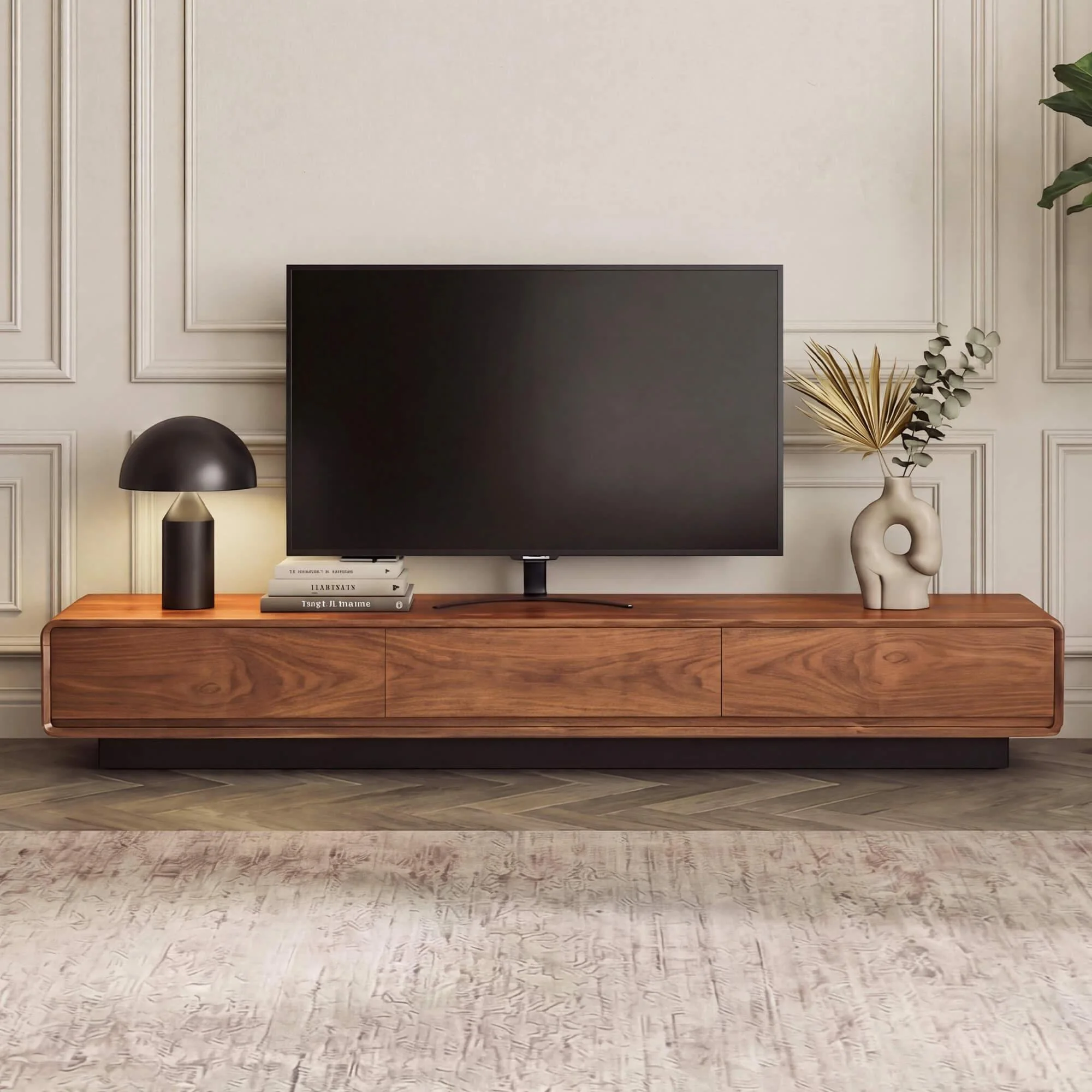
The television stand has come a long way from being just a box to rest a screen on. Today, it anchors the entire living room, dictating how the space feels, flows, and functions. Among all the options available, the light wood TV stand has emerged as a consistent favorite — and for good reason. Its warm, natural tone works effortlessly across design styles, from Scandinavian minimalism to coastal casual to transitional traditional. Unlike darker wood tones that can feel heavy or dominate a room, light wood furniture adds brightness without competing with the rest of your decor.
But choosing the right one takes more thought than simply picking the most attractive piece in a catalog. Size, storage, material quality, and how the stand will coexist with your existing furniture all play a role in whether your purchase ends up being a design asset or a daily frustration. This guide walks you through everything you need to make a confident, well-informed decision — from understanding what makes light wood furniture work visually, to finding a stand that genuinely fits your lifestyle.
Why Light Wood TV Stands Are Dominating Modern Interiors
Walk through any contemporary home decor showroom or scroll through interior design inspiration boards, and you will notice a pattern: light wood finishes are everywhere. This is not a passing trend. The appeal of light wood furniture is rooted in its versatility and psychological warmth. Lighter tones like ash, birch, and oak create an airy, open feel that makes rooms appear larger — a significant advantage in today's increasingly compact living spaces.
A light wood tv stand also acts as a visual anchor without overwhelming the room. It draws the eye to the entertainment area while keeping the space feeling balanced and breathable. When paired with neutral walls or soft upholstery, the natural grain of light wood adds texture and organic character that painted or laminate surfaces simply cannot replicate.
There is also a practical consideration: light wood finishes tend to show less dust and minor surface wear compared to very dark or high-gloss alternatives, making them more forgiving in real-world use. For families with young children or pets, this low-maintenance quality is a genuine day-to-day advantage that goes beyond aesthetics.
Key Features to Look for in a Light Wood TV Stand
Not every light wood TV stand delivers the same experience. Before committing to a piece, it is worth evaluating the features that determine whether a stand will genuinely serve your household or simply photograph well.
Storage and Organization
One of the most practical questions to ask is how much storage you actually need. Media consoles that combine open shelving with enclosed cabinets or drawers offer the most flexibility. Open shelves provide easy access to consoles, remotes, and streaming devices while keeping cables reachable. Drawers and cabinets, on the other hand, conceal the inevitable clutter — gaming controllers, power strips, extra cables — that accumulates around any entertainment setup.
Think honestly about what you currently store near your TV. If you have a significant media library, a cable box, and gaming equipment, prioritize a stand with deeper shelving and adjustable compartments. If your setup is minimal, a sleeker console with one or two storage options may be all you need. Buying more storage than you use just adds visual bulk to the room.
Size and Proportions
Proportion matters enormously when it comes to TV stands. A stand that is too small for your screen looks unstable and off-balance, while one that is too wide can crowd a room and interrupt traffic flow. As a general rule, your TV stand should be at least as wide as your television, though extending several inches beyond the screen on each side creates a more intentional, designed appearance.
Height is equally important. For comfortable viewing, the center of your TV screen should sit roughly at eye level when you are seated. Most stands range between 18 and 24 inches in height, but the right number depends on your sofa height and how far back you sit from the screen. Measure before you shop rather than estimating, and factor in the additional height your television itself adds on top of the stand.
Styling a Light Wood TV Stand in Different Room Types
The same light wood TV stand can read very differently depending on its context. Understanding how to style it for your specific room type ensures you get the full visual benefit of the piece rather than a result that simply looks assembled.
Small Spaces and Apartments
In compact rooms, a light wood TV stand is a strategic choice. The light tone recedes visually rather than advancing, which prevents the piece from dominating a small space. Look for stands with tapered or elevated legs, as these create the impression of more floor space and stop the visual weight from sitting too low and heavy. Avoid stands with solid floor-to-ceiling panels if your room lacks natural light — these make a small room feel boxier than it already is.
Keeping the area around and on top of the stand deliberately minimal reinforces the sense of openness. A small plant, a single decorative object, and your TV can be enough. Covering every surface with items works against the light, airy quality that made light wood the right choice in the first place.
Open-Plan Living Areas
Open-plan spaces present a different challenge: the TV stand must look cohesive from multiple angles and coordinate with adjacent zones like the dining area or kitchen. In these settings, the warm neutrality of light wood works strongly in your favor. It connects visually with other natural materials — stone countertops, linen sofas, wicker accents — without looking mismatched. Choose a stand with a lower profile to maintain sightlines across the space, and consider how the back panel looks, since it may be clearly visible from other areas of the room.
Materials and Construction: What Sets Quality Apart
Light wood TV stands vary significantly in their construction quality, and that variation directly affects both longevity and appearance over time. Solid wood pieces are the most durable and can be refinished if scratched or worn, but they also carry a higher price point. Engineered wood — such as MDF or plywood with a wood veneer — offers a more accessible alternative while still delivering a convincing natural look when the veneer quality is high.
What to watch for is the joinery. Stands assembled with dowels, mortise and tenon joints, or solid metal hardware will hold up significantly better than those relying solely on cam locks and thin backing panels. Open the cabinet doors in a showroom, or read customer reviews carefully when shopping online. A stand that wobbles or has doors that do not close cleanly is a quality problem that does not improve with time — it only becomes more noticeable.
Chitaliving's media console lineup uses solid wood construction paired with practical storage layouts, an approach that prioritizes both warmth and functional durability. Their light wood TV stands are designed to work as long-term investments in a home's interior rather than pieces that need replacing as trends shift.
Finish quality is another factor worth investigating. A well-applied finish resists moisture, minor spills, and UV fading — important if your TV stand sits near a window. Ask about the finish type, whether lacquer, oil, or wax, and whether it can be touched up if the surface sustains minor damage over time.
Pairing Your Light Wood TV Stand with Other Furniture
One of the biggest advantages of light wood is how naturally it coordinates with other furniture and decor. But working well with other pieces still requires some thought to achieve a result that feels deliberate rather than accidental.
For sofas and seating, light wood stands complement textured neutrals particularly well: linen, boucle, and cotton canvas in shades of cream, warm gray, terracotta, or sage. These combinations feel cohesive without looking overly matched. Very cold gray or stark white upholstery alongside warm light wood can create a contrast that reads as jarring rather than crisp, so lean toward warmer undertones in your textiles.
For flooring, light wood stands work on almost any surface but look especially striking against mid-tone or darker flooring, where the contrast gives the room more visual definition. On very light floors, consider a patterned or textured area rug beneath your seating arrangement to ground the space and prevent everything from blending into an undifferentiated palette.
Wall color makes a meaningful difference as well. Warm whites, greige tones, and muted earth palettes all complement light wood beautifully. Deeper accent colors — forest green, terracotta, or navy — work effectively on a single wall behind the TV stand, adding depth and character without overpowering the natural warmth of the wood grain.
Accent furniture like side tables, open shelving, and coffee tables do not need to match precisely. Mixing wood tones within the same color family — keeping all pieces in the light-to-medium range — creates a more sophisticated, layered look than perfectly matched sets. Variation adds life to a room; uniformity can make it feel staged.
Making the Right Choice for a Living Room That Lasts
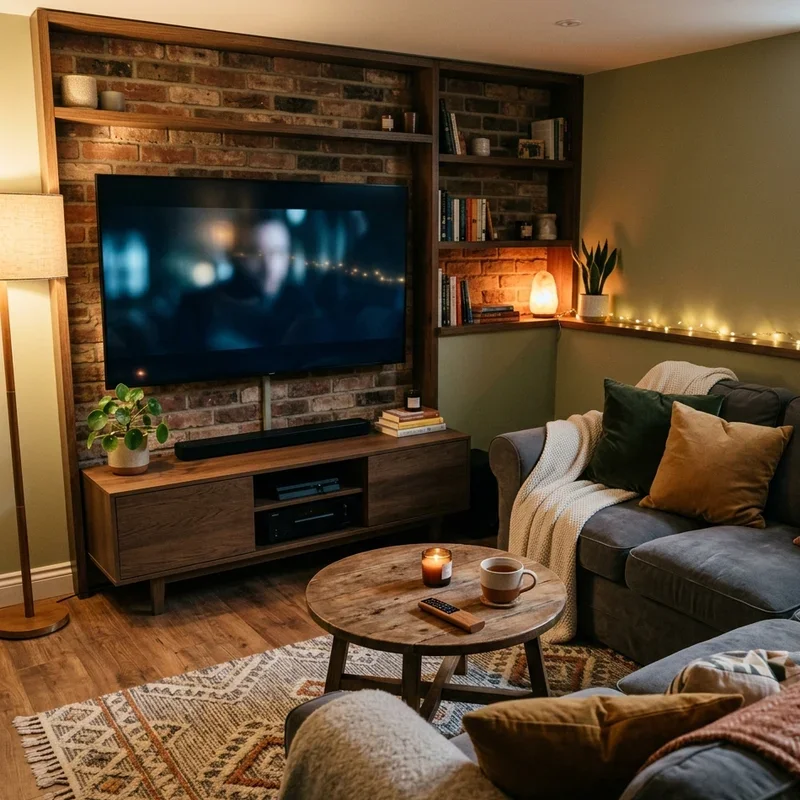
Choosing a TV stand is one of those decisions that seems minor until you realize how significantly it shapes how you feel in your living room every single day. A light wood TV stand brings warmth, versatility, and a timeless quality that works across design styles and holds up as your tastes evolve. But the right choice depends on your specific space, your storage needs, and how the piece will live alongside your existing furniture and daily routines.
Take the time to measure your space accurately, assess your storage requirements honestly, and consider construction quality alongside visual appeal. A well-chosen TV stand is not just a platform for your screen — it is a foundational piece that anchors the feel of your entire living area. When you invest in a quality piece built from real materials with thoughtful design, you get furniture that remains both relevant and functional for years rather than needing replacement every time the catalog changes.
Start with what you need, then find the piece that delivers both function and beauty — because in a well-designed home, the two are never mutually exclusive.
Stay up to date with our latest ideas!