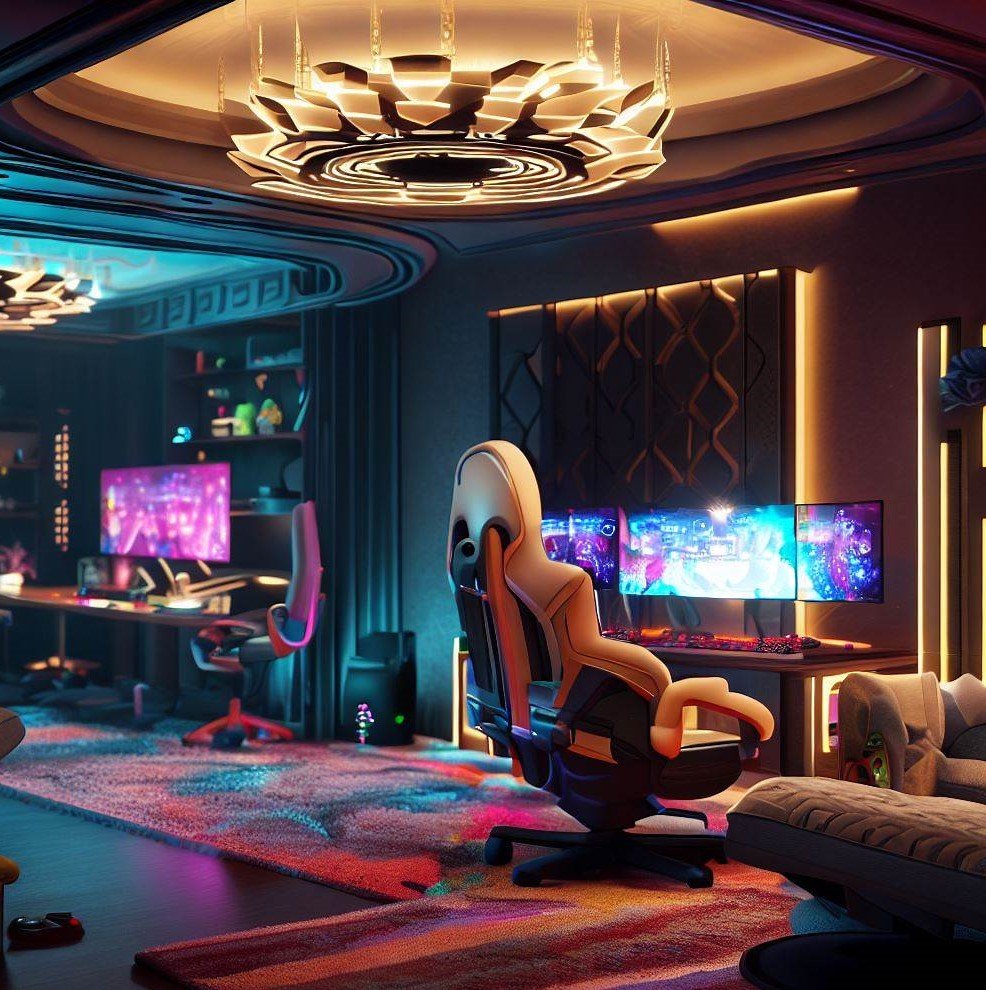
Discover 15 sim racing room ideas for the ultimate gaming setup that transform any space into an immersive racing cockpit experience.
A dedicated sim racing room elevates virtual motorsport from a casual hobby played on a desk into a fully immersive experience where the cockpit surrounds you, the screens fill your peripheral vision, and every force feedback wheel vibration convinces your brain that the next corner genuinely requires braking input or the consequences will hurt more than just your digital lap time. Have you ever strapped into a sim rig and felt that electric moment where the game stops feeling like a game and starts feeling like you are actually sitting inside a race car cockpit approaching turn one at speed? That immersion comes from room design rather than software alone. Think of building a sim racing room as constructing a portal that transports you from your spare bedroom directly to the starting grid. These fifteen ideas build that portal perfectly.
1. Dedicated Cockpit Rig Frame Setup
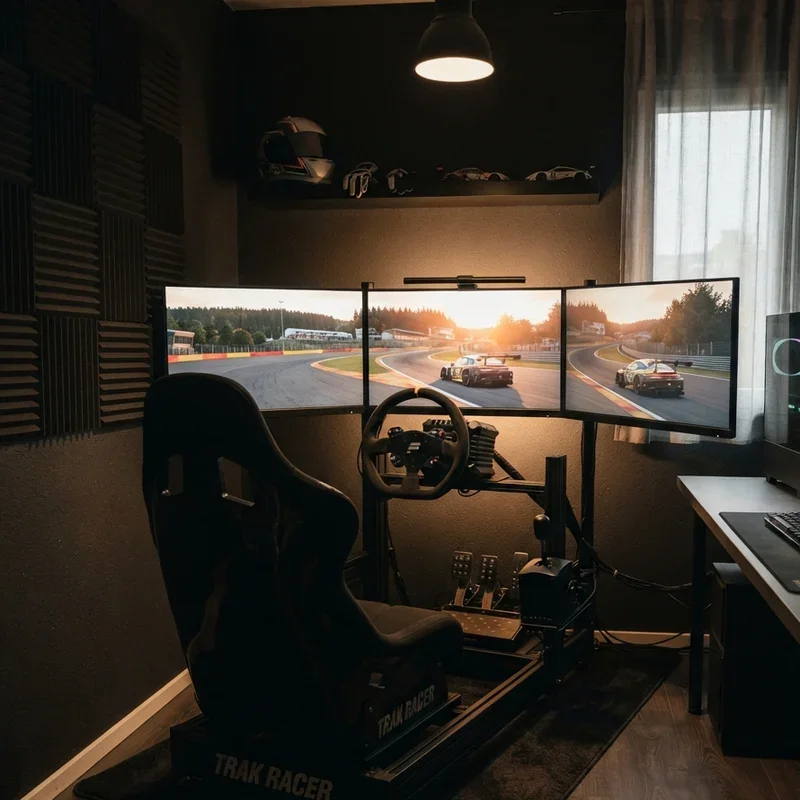
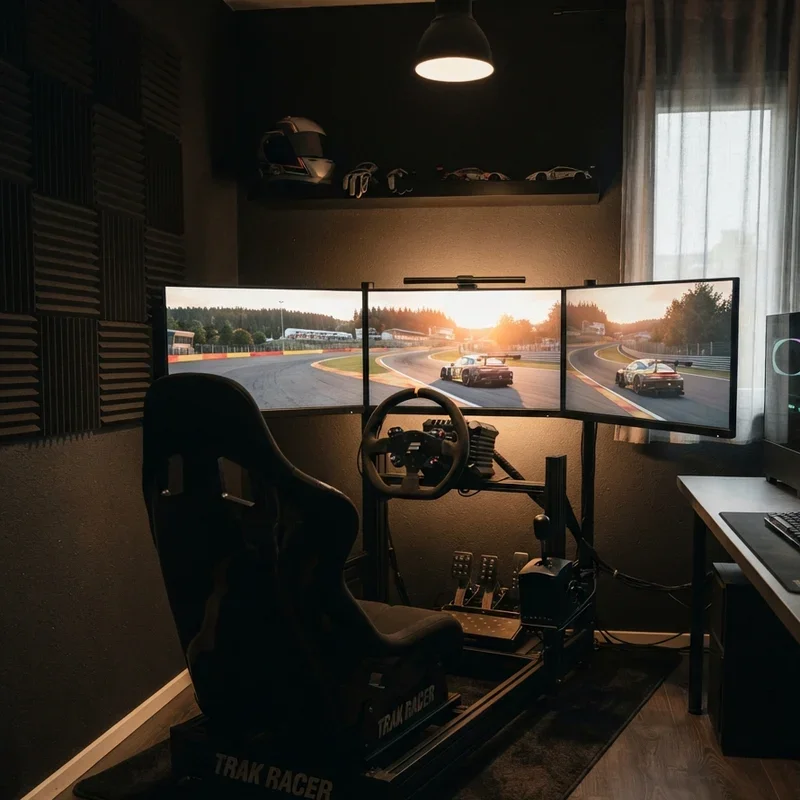
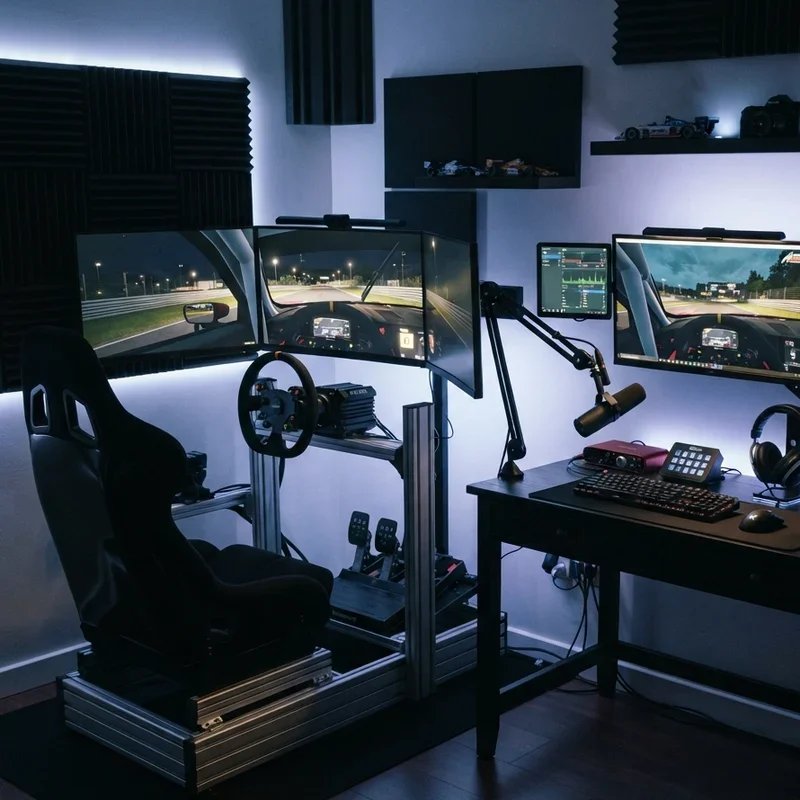
A dedicated cockpit rig frame setup builds or purchases an aluminum extrusion or steel tube chassis that positions your wheel, pedals, shifter, and seat in the anatomically correct racing position, replacing the wobbly desk-and-office-chair arrangement that wobbles under heavy braking input and flexes during aggressive steering corrections destroying the immersion that serious sim racing demands from its physical foundation. Cockpit rigs work like building the skeleton of a real race car inside your room where every mounting point positions your body exactly where a professional driver sits, the rigid frame providing the mechanical foundation upon which every other immersion upgrade depends entirely for its effectiveness. Choose 40x40mm aluminum profile extrusion for the strongest, most adjustable rig construction material. Measure your body dimensions carefully before building, ensuring the pedal distance, seat position, and wheel height replicate the specific racing discipline you compete in most frequently.
2. Triple Monitor Surround Display
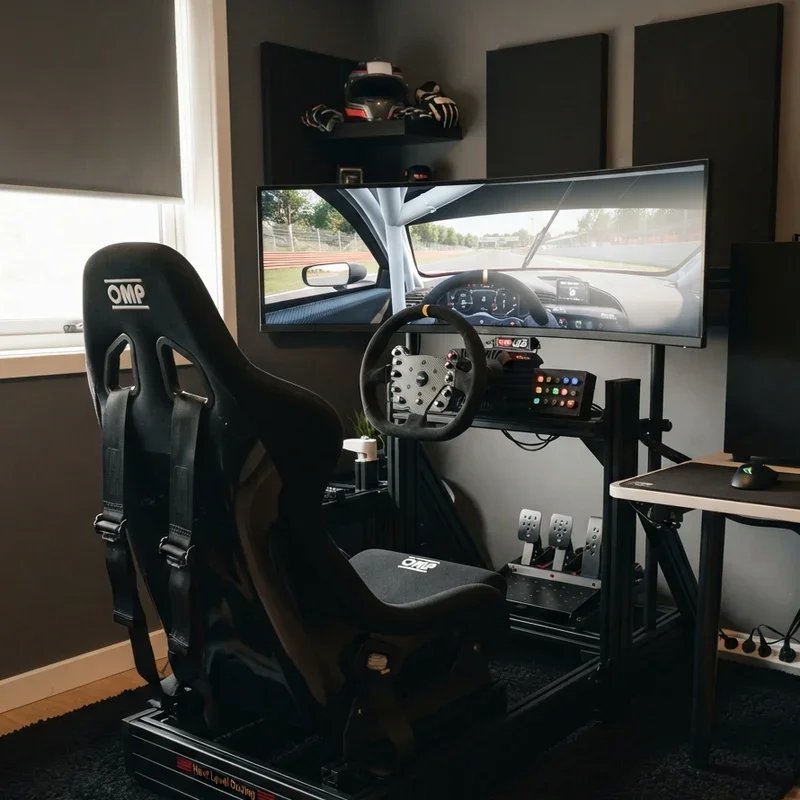
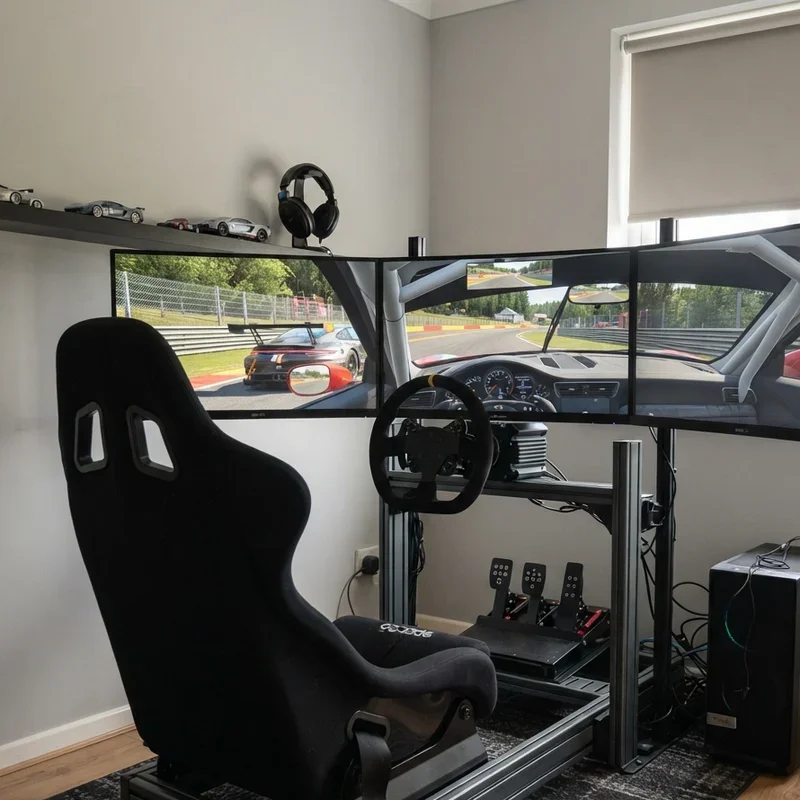
A triple monitor surround display positions three identical monitors side by side at matched angles creating a panoramic field of view that wraps peripheral vision around the driver, eliminating the tunnel-vision limitation of single screens and delivering the wide-angle spatial awareness that real racing drivers depend on for judging corner entry speed, overtaking gaps, and mirror-based defensive positioning. Triple screens work like stretching one enormous windshield across your entire forward view where the side monitors show what your peripheral vision would naturally see inside a real cockpit, the expanded visual field transforming spatial judgment from educated guessing into genuinely instinctive visual assessment that mirrors real-world driving perception. Choose monitors with thin bezels minimizing the visual interruption between screens. Mount all three displays on a single monitor stand adjustable for angle, height, and distance ensuring the screens curve around your eye position at the optimal radius for immersive peripheral wrapping.
3. Motion Platform Dynamic Rig System
A motion platform dynamic rig system mounts your entire cockpit rig onto actuator-driven motors that tilt, pitch, and roll the seat in response to in-game physics data, physically simulating the gravitational forces drivers experience during acceleration, braking, cornering, and surface changes that your inner ear normally processes during real driving but sim racing without motion completely eliminates. Motion platforms work like teaching your body to believe the simulation by providing the physical movement cues your vestibular system expects during vehicle dynamics changes, the tilting cockpit closing the final sensory gap between visual input and physical sensation that stationary rigs leave uncomfortably open during aggressive driving. Start with a two-actuator system providing pitch and roll before investing in more complex six-actuator setups. Position the platform on a solid concrete or reinforced floor surface capable of supporting the dynamic loads that actuator movement generates during aggressive cornering sequences.
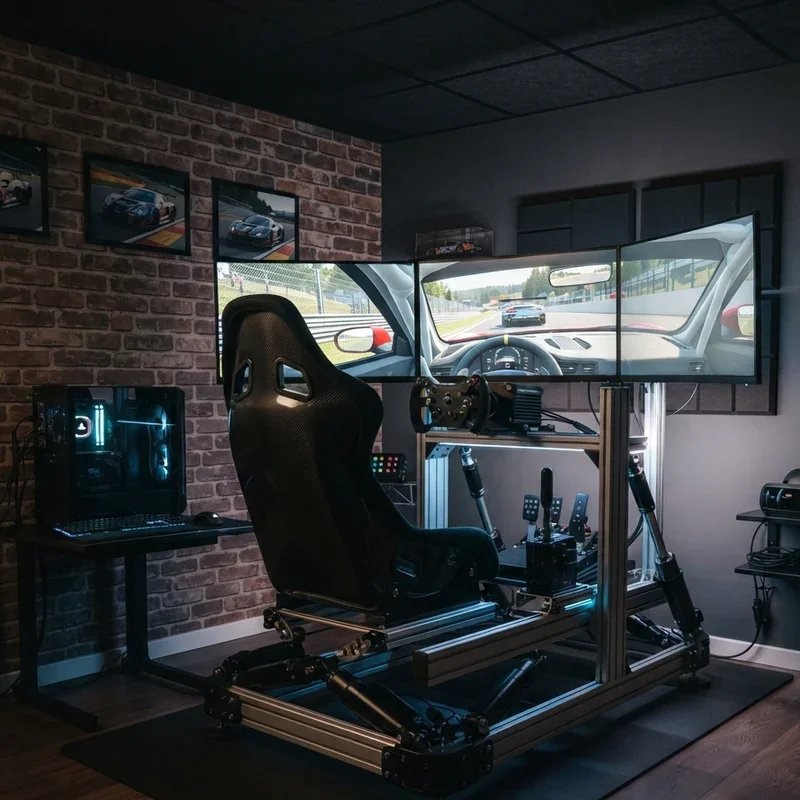
4. Direct Drive Wheel Base Upgrade
A direct drive wheel base upgrade replaces gear-driven or belt-driven force feedback wheels with a direct drive motor that connects the steering shaft directly to a high-torque brushless motor, delivering instantaneous, detailed, and incredibly powerful force feedback that communicates every road surface texture, tire slip angle, and weight transfer through your fingertips with zero mechanical lag. Direct drive wheels work like removing the translator between your car and your hands, the direct motor connection delivering raw, unfiltered steering feel that belt and gear systems soften, delay, and compress through their mechanical intermediary components, the difference immediately obvious the first time you turn a direct drive wheel into a corner. Choose a base producing at least 15 Newton-meters of torque for realistic heavy car simulation. Mount the base on a rigid cockpit frame rather than a desk, as direct drive torque levels physically twist inadequate mounting surfaces during aggressive driving input.
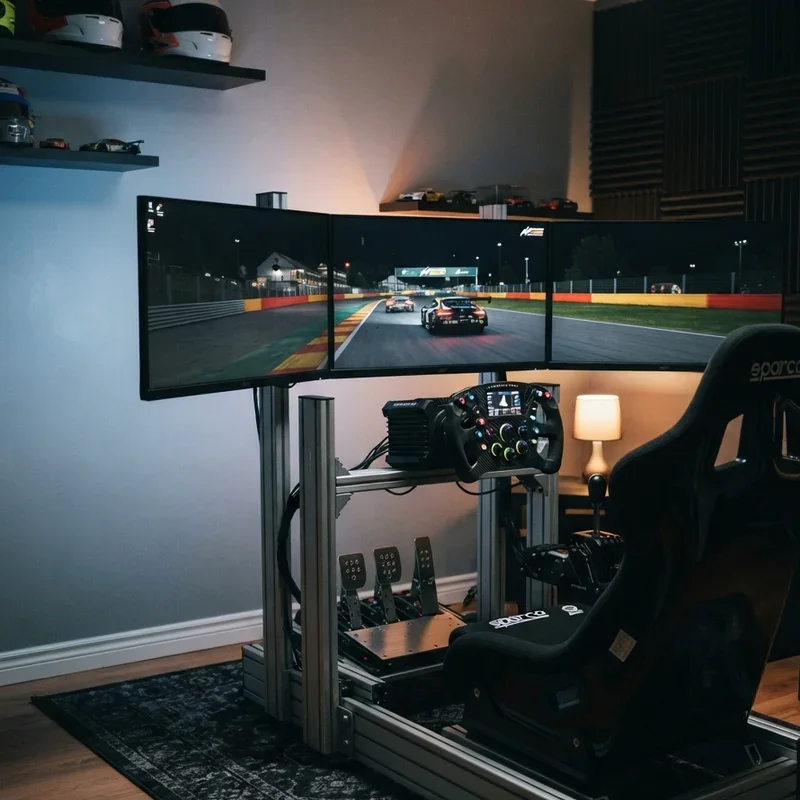
5. Load Cell Pedal Box Installation
A load cell pedal box installation upgrades standard potentiometer pedals to pressure-sensing load cell units that measure braking force rather than pedal travel distance, replicating the progressive resistance feel of real hydraulic brake systems where the pedal firms up under increasing pressure rather than simply traveling through a spring-resisted range of motion. Load cell pedals work like converting your brake pedal from a position sensor into a pressure sensor that responds the way real race car brakes respond, the force-based input training your leg muscles to develop genuine braking pressure memory that transfers directly between simulation sessions and real-world track driving experiences. Mount pedals on a rigid base plate preventing flex that absorbs the braking force you intend for the load cell sensor. Adjust the brake stiffness setting matching the specific car type you drive most frequently, as open-wheel cars require different pedal feel than GT cars.
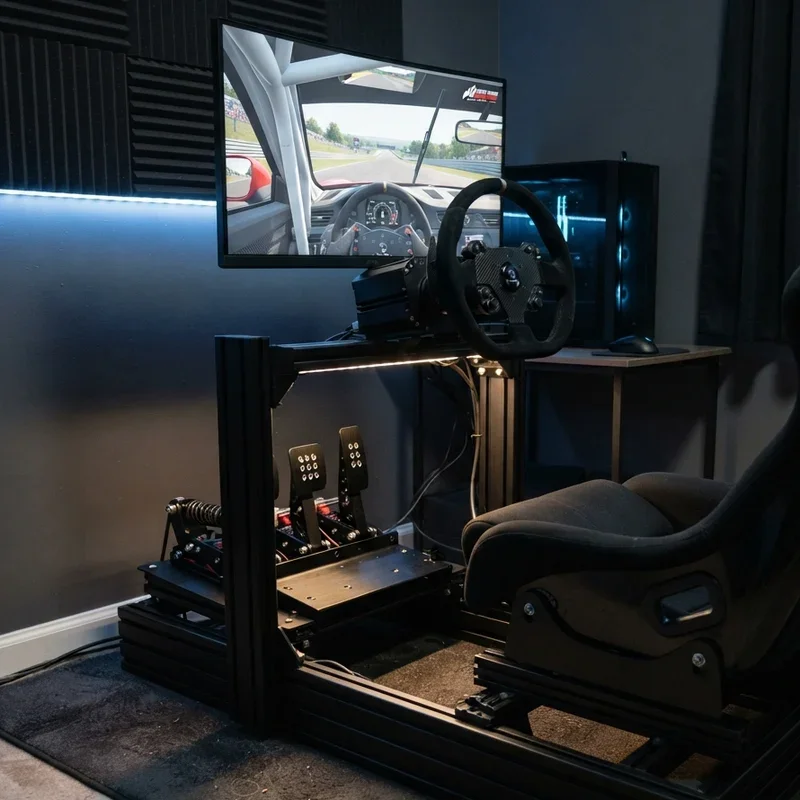
6. Racing Seat Bucket Chair Selection
A racing seat bucket chair selection installs a genuine FIA-approved racing bucket seat or a high-quality sim racing specific seat into your cockpit rig, the contoured side bolsters holding your body firmly during cornering forces while the fixed-back design maintains the upright, locked-in posture that real racing drivers maintain throughout multi-hour endurance events. Racing bucket seats work like wrapping your body in a supportive cocoon that prevents the lateral sliding, posture shifting, and lower back fatigue that office chairs inflict on sim racers attempting multi-hour sessions, the proper seat transforming physical comfort from a session-limiting liability into a non-issue that no longer determines when you stop driving. Choose seats with adequate shoulder bolster width for comfortable extended sessions. Add a quick-release seat slider rail allowing position adjustment between different drivers who share the rig without requiring tool-based mounting modifications.
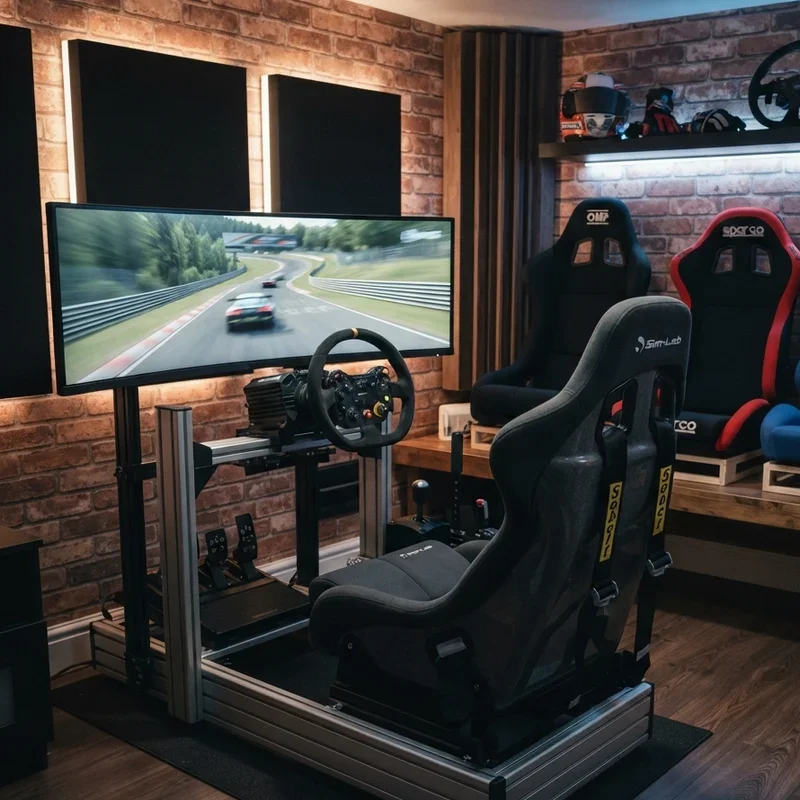
7. Bass Shaker Tactile Feedback System
A bass shaker tactile feedback system mounts low-frequency transducers beneath the seat, pedal tray, and chassis frame that vibrate in response to in-game audio and telemetry data, physically simulating engine rumble, road surface texture, curb strikes, and tire lock vibrations through your body rather than through speakers that your ears process differently from tactile sensation. Bass shakers work like adding a subwoofer you feel rather than hear, the physical vibration communicating road surface information through your seat and feet the same way real cars transmit chassis vibrations through the driver's contact points with the vehicle structure during actual driving at speed. Mount shakers using vibration-isolating brackets preventing buzzing resonance transferred into the room's floor structure. Configure separate shaker channels for different effects, assigning engine vibration to the seat shaker and road surface texture to the pedal platform creating multi-zone tactile feedback that replicates how real cars transmit different vibrations through different driver contact points.
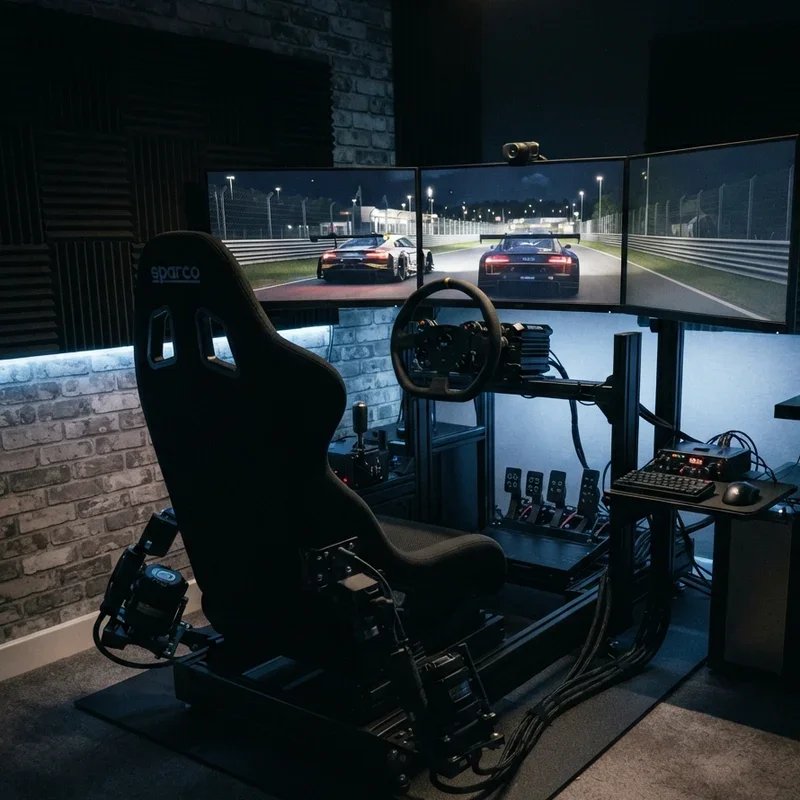
8. VR Headset Immersive Racing Option
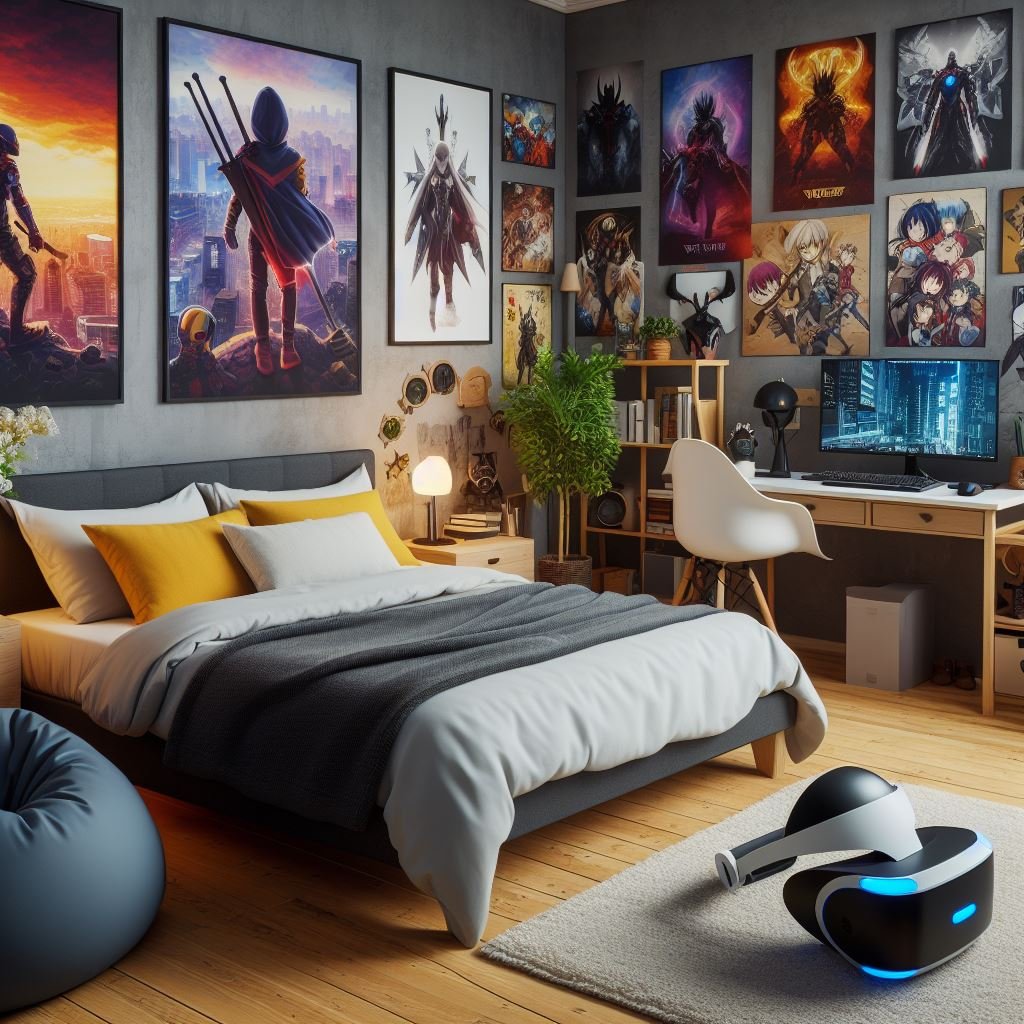
A VR headset immersive racing option replaces physical monitors entirely with a virtual reality headset that places you inside a fully three-dimensional cockpit environment where head tracking allows natural looking into corners, checking mirrors with actual head turns, and perceiving genuine depth through stereoscopic vision that flat screens simulate but cannot truly replicate. VR racing works like teleporting your eyeballs directly inside the virtual car where the digital cockpit surrounds you with complete dimensional presence, every head movement revealing new perspectives that monitor-based racing requires button inputs or mouse movements to access losing precious driving concentration in the process. Choose headsets with high resolution and wide field of view minimizing the screen-door effect that lower-resolution headsets display. Ensure your PC delivers consistent frame rates exceeding 90 frames per second, as VR frame drops cause motion sickness symptoms that make extended sim racing sessions physically uncomfortable and potentially nauseating.
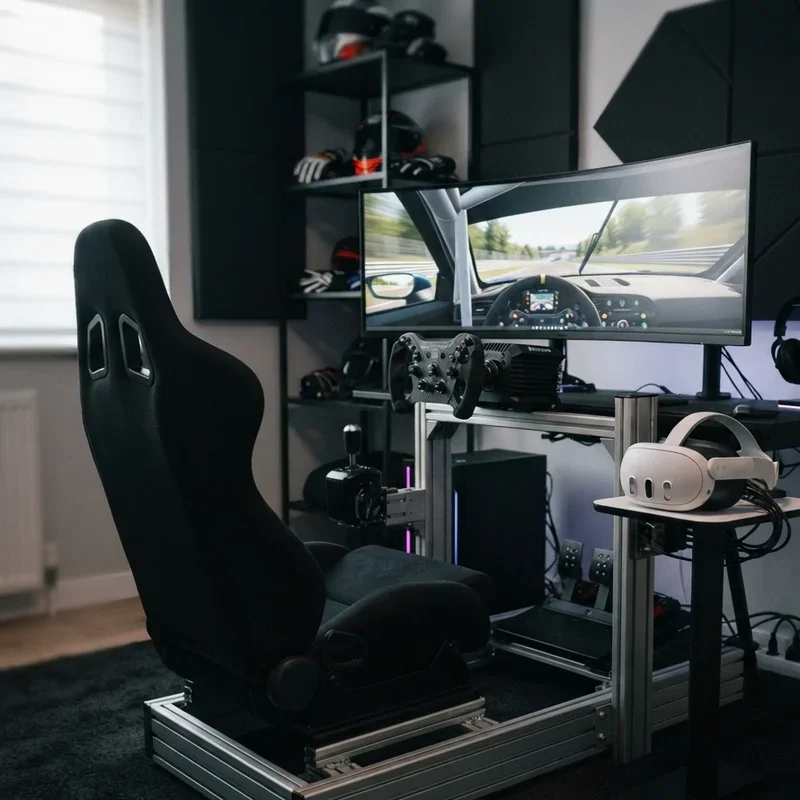
9. LED Ambient Lighting Room Design
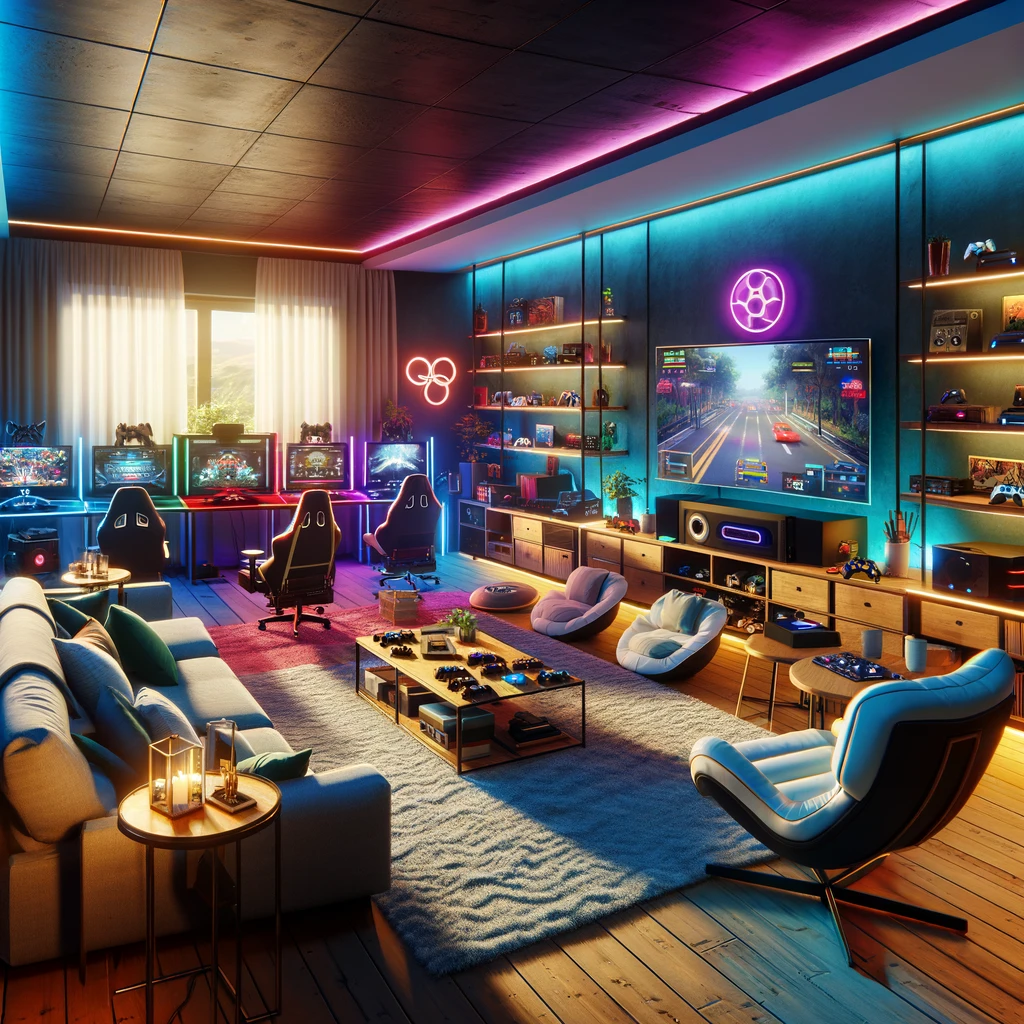
LED ambient lighting room design installs programmable RGB LED strips behind monitors, along ceiling edges, beneath the rig, and across wall surfaces that react to in-game racing events, changing color based on rev limits, flag conditions, time of day, and track-specific ambient lighting creating a room that visually adapts to the racing experience in real time. Ambient lighting works like extending the game's visual atmosphere beyond the screen edges into your actual room where the walls themselves change color matching the virtual environment displayed on your monitors, the expanded lighting envelope wrapping your peripheral vision in color that reinforces the simulation's visual narrative immersively. Install LED strips with software integration connecting to sim racing telemetry data. Position strips behind monitors creating bias lighting that reduces eye strain during extended sessions while simultaneously extending the screen's visual atmosphere into the room's peripheral darkness.
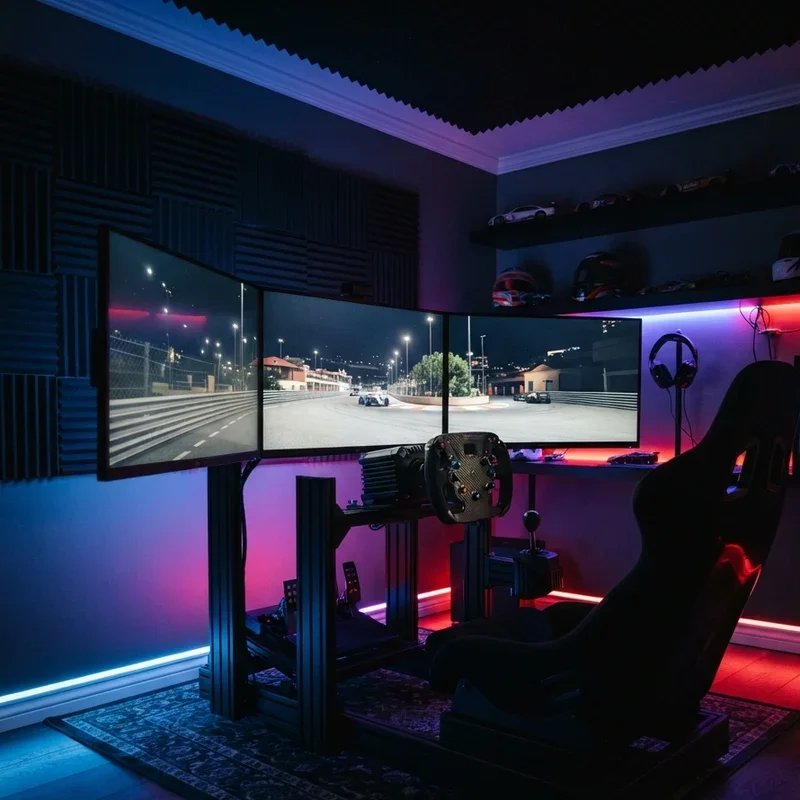
10. Sound System Surround Audio Setup
A sound system surround audio setup positions multiple speakers around the cockpit including front channels for engine and wind noise, rear channels for cars behind you, and a dedicated subwoofer for low-frequency exhaust rumble creating a three-dimensional audio environment where sounds arrive from physically accurate positions relative to your driving position. Surround audio works like sitting inside an orchestra of mechanical sounds where every engine, tire squeal, and exhaust note arrives from its correct spatial position relative to your cockpit, the directional audio providing the same spatial awareness that real drivers use to detect approaching cars, identify mechanical problems, and gauge engine RPM through sound alone. Position speakers at ear height surrounding the rig for optimal surround imaging. Calibrate speaker levels and distances using your audio system's built-in room correction software ensuring balanced sound delivery from every channel to the driving position's center point.
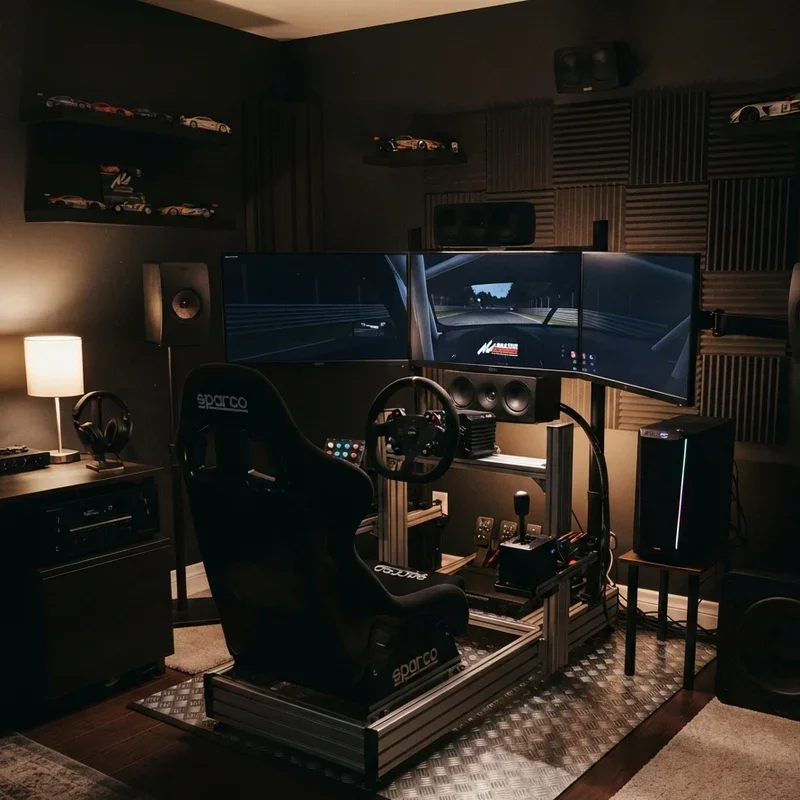
11. Button Box and Dashboard Panel
A button box and dashboard panel builds a custom control interface featuring toggle switches, rotary dials, push buttons, and display screens that replicate the cockpit controls found in real race cars, providing tactile input options for functions including traction control adjustment, brake bias changes, pit lane speed limiters, and windshield wiper activation. Button boxes work like installing a real race car's dashboard controls within arm's reach where physical switches replace keyboard shortcuts that require looking away from the screen, the tactile controls keeping your eyes on the track while your fingers make adjustments through muscle memory the same way professional racing drivers operate their cockpit systems at speed. Use an Arduino or similar microcontroller board creating custom USB input devices. Position the button box within natural arm reach from the driving position ensuring critical controls like pit limiter and ignition remain accessible without releasing the steering wheel during racing situations.
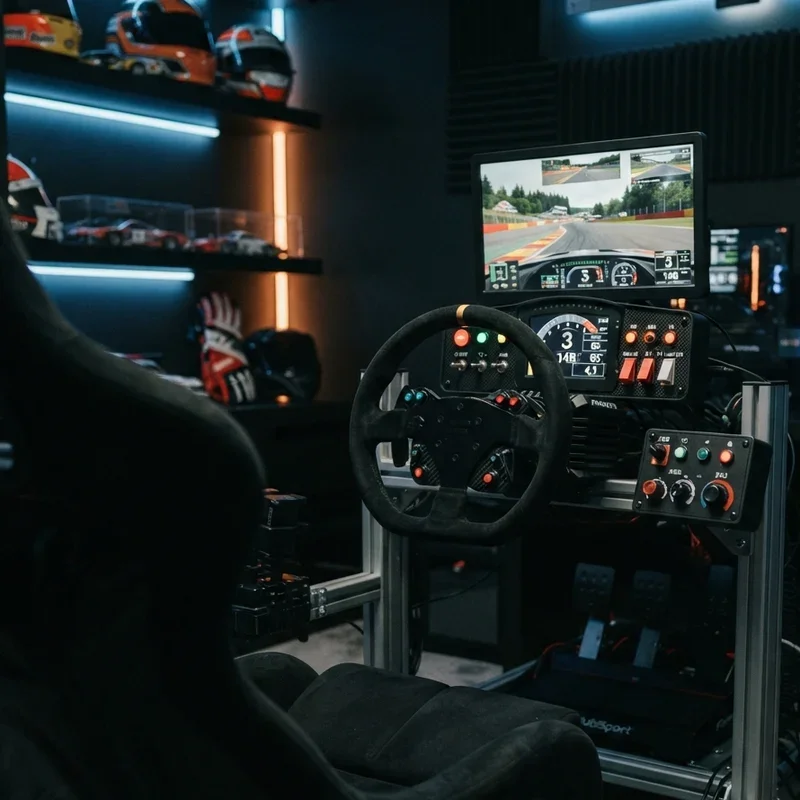
12. Wind Simulation Fan Kit Setup
A wind simulation fan kit setup mounts adjustable speed fans in front of the cockpit that increase airflow proportionally to the in-game vehicle speed, creating physical wind sensation across the driver's face, arms, and body that reinforces the perception of speed and provides natural cooling during intense, physically demanding racing sessions in warm room environments. Wind simulation works like rolling down the windows of your virtual race car where the increasing breeze against your face adds another sensory channel confirming the speed your eyes see and your hands feel, the airflow providing visceral speed perception that stationary indoor cockpits otherwise completely lack despite visual and audio cues suggesting high velocity. Connect fans to a speed controller driven by telemetry data for proportional wind output. Position fans at face height angled slightly downward replicating the airflow pattern that open cockpit cars direct across the driver from the windshield's upper edge forward.
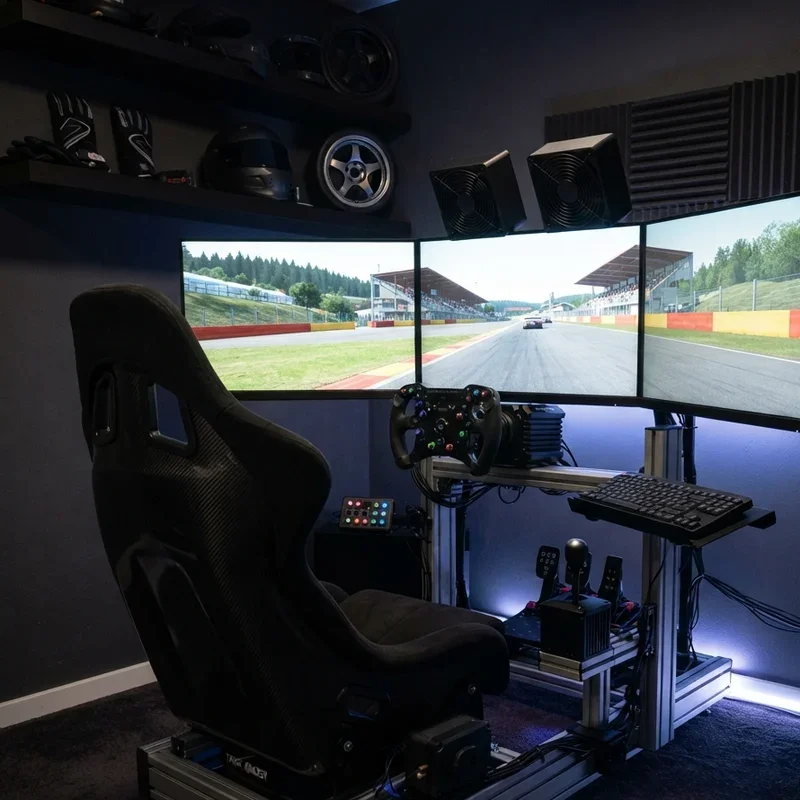
13. Racing Memorabilia Wall Display Theme
A racing memorabilia wall display theme decorates the sim racing room walls with framed motorsport photographs, signed driver helmets, race-used car parts, vintage racing posters, championship flags, die-cast model collections, and authentic racing suits creating an atmosphere that transforms a spare bedroom into a dedicated motorsport shrine surrounding the cockpit. Memorabilia walls work like building a personal motorsport museum around your rig where the physical artifacts from real racing history surround your virtual racing present, the displayed items providing constant visual inspiration and emotional connection to the broader motorsport culture that makes sim racing meaningful beyond the competitive gaming component alone. Mount helmets using dedicated display shelves designed for safe exhibition without damage. Choose memorabilia representing your specific racing passion whether Formula One, endurance racing, rally, or stock car creating a focused thematic display rather than a scattered collection covering multiple unrelated motorsport disciplines.
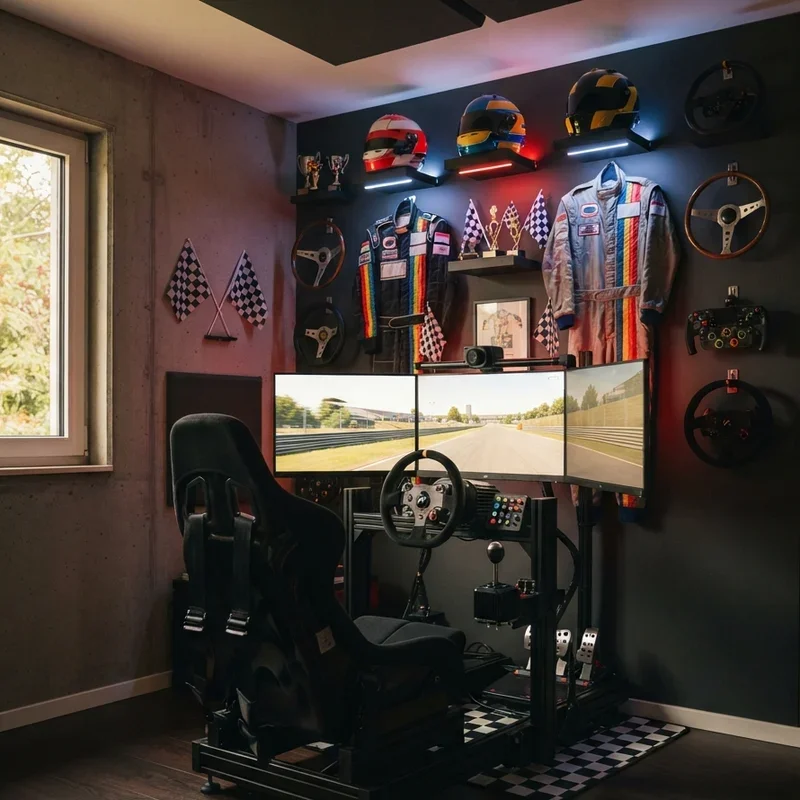
14. Cable Management Clean Setup Design
A cable management clean setup design routes every power cable, USB connection, display cable, audio wire, and peripheral connection through organized channels, clips, sleeves, and under-rig conduits creating a cockpit where no visible cables cross the floor, hang loose, or create tripping hazards that interrupt the visual cleanliness and physical safety of the sim racing environment. Clean cable management works like erasing the technological infrastructure from visible existence so only the rig, screens, and cockpit remain visible, the hidden wiring creating the illusion that your sim racing setup operates through magic rather than through the dozens of physical connections actually powering every component from behind the scenes. Route cables through the aluminum profile rig's internal channels designed specifically for wire management. Label both ends of every cable using small tags, the identification system preventing the confusion and accidental disconnection that unlabeled cable clusters create during troubleshooting and equipment upgrade procedures.
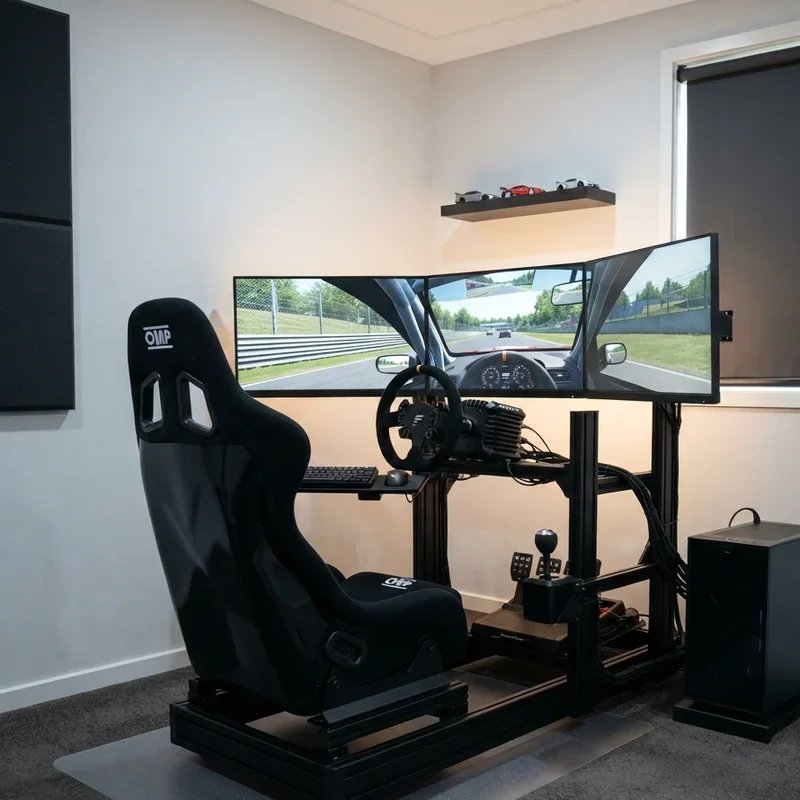
15. Streaming and Content Creation Corner
A streaming and content creation corner positions a webcam, microphone, capture card, and green screen or branded backdrop within the sim racing room creating a ready-to-broadcast setup that streams racing sessions, records tutorial content, and captures reaction footage without requiring additional equipment setup before each content creation or live streaming session begins. Streaming corners work like installing a television studio inside your racing room where the broadcast infrastructure remains permanently ready for spontaneous streaming sessions that capture genuine racing moments without the production delay that portable recording setups impose through their assembly and configuration requirements before every broadcast. Mount a webcam providing a face-angle view that includes the wheel and dashboard in the background. Position the microphone on a boom arm swinging into recording position during streams and retracting during private practice sessions, the adjustable mounting maintaining clean cockpit aesthetics between content creation sessions.
Conclusion
Sim racing rooms transform virtual motorsport from casual screen-based gaming into genuinely immersive racing experiences where the cockpit, visuals, audio, and tactile feedback combine to convince your brain that the steering wheel in your hands connects to something far more real than a software simulation running on hardware sitting inside a converted spare bedroom. From dedicated cockpit rigs and triple monitor displays to motion platforms and wind simulation systems, these fifteen ideas prove that building the ultimate sim racing room is a progressive journey where every upgrade adds another layer of immersion. Choose upgrades matching your budget and racing priorities, because the best sim racing room grows alongside your passion.
Frequently Asked Questions
Q1: How much does building a basic sim racing room setup cost to get started?
A: A basic quality rig with wheel, pedals, and seat costs between one and three thousand dollars.
Q2: What is the single most impactful upgrade for sim racing immersion and performance?
A: A direct drive wheel base provides the most significant single upgrade in force feedback quality.
Q3: Do I need a dedicated room for sim racing or can I use a shared space?
A: Foldable rigs and VR headsets enable competitive sim racing within shared spaces without permanent dedication.
Q4: What PC specifications do I need to run triple monitor or VR sim racing?
A: A high-end GPU with at least 12GB VRAM and a modern processor handle triple screens effectively.
Q5: Is sim racing with proper equipment genuinely useful for real-world driving skill development?
A: Professional racing drivers use sim racing regularly for track learning, racecraft development, and reaction training.
Stay up to date with our latest ideas!